Augmented Reality Texture Extraction Experiment
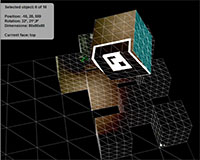
This is an AR-based experiment that enables the user to lift textures from real-world objects in live video and apply them onto 3D objects that are overlayed on top of them. Only box primitives are supported here, but the general idea could be extended to other types of 3D primitives or potentially even more complex objects with some clever image compositing and UV mapping (a-la Photosynth, I guess).

Click for live demo
Click the image on the right to run a live version of the experiment, in case you have the patience to suffer thru the quick-and-dirty hotkey-based UI.
Print the AR marker (PDF | PNG) and point your webcam at it.
It’s running Saqoosha’s (feature-incomplete) Alchemy branch of the FLAR Toolkit, along with Papervision3D.
In the future, it would be nice to figure out is how to apply bilinear filtering to the ‘deperspectivized’ textures. I could also add a feature to export the textured 3d objects into a 3D file format (probably OBJ) if there’s any interest.
Conceptually, this piece builds on these two video projection tests, and is a modest implementation of one of the themes from this post of ideas for augmented reality.

September 19th, 2009 at 6:31 pm
Awesome execution and looks like it’s running really fast. Well done Lee!
September 19th, 2009 at 6:37 pm
Thanks Wez. In the spirit of full disclosure I should say that when I recorded the screencast, I set the application to run all tweens 2x slower, and then baked the video to play back 2x faster than the speed at which it was recorded. :)
September 19th, 2009 at 7:28 pm
Sneaky. ;) How much performance did you gain by using the Alchemy branc of FLAR?
September 20th, 2009 at 4:27 am
well done indeed :)
it reminds me of the early version of carrara.
September 20th, 2009 at 8:42 am
@Wez Once I started getting into this project, I didn’t get a chance to compare its performance against the ‘trunk’ version of FLARToolkit. But it seemed a lot more responsive.
Unfortunately, the current Alchemy branch only seems to support sampling bitmaps at 320×240. In the future, it may be nice to take advantage of the added performance to sample bitmaps for marker detection at a higher resolution.
September 22nd, 2009 at 11:28 am
Complete Works of Borges. A stellar choice.
September 22nd, 2009 at 1:59 pm
[...] zero point nine » Blog Archive » Augmented Reality Texture Extraction Experiment [...]
September 23rd, 2009 at 2:27 am
wow, awesome. keep it up!
September 24th, 2009 at 8:01 am
Nice work man.
do you make it on flash? very fast!
September 25th, 2009 at 4:07 pm
[...] zero point nine » Blog Archive » Augmented Reality Texture Extraction Experiment (tags: augmentedreality ar as3 inspiration flartoolkit textures cool fun) Share and Enjoy: [...]
September 29th, 2009 at 5:24 am
Amazing ! I love it
September 29th, 2009 at 6:16 am
Very nice, incredibly smooth. Can definitely see the potential in this.
October 7th, 2009 at 1:16 am
Amazing! Great idea and execution as always Lee. I like the little Borges cameo too – respect for you literary taste ;)
October 7th, 2009 at 12:40 pm
Hehe, thanks Justin.
November 6th, 2009 at 1:04 pm
[...] Very nice Flash Augmented Reality Experiment Idea: Augmented Reality Texture Extraction [...]
November 8th, 2009 at 3:10 am
Could you please explain how to take a snapshot of a particular area and to use it as BitmapMaterial for example on a Cube?
How do you got such a good performance? :-)
November 8th, 2009 at 10:13 am
Pipo, I’ve greatly simplified the algorithm for the snapshot part which allows it to be applied to any kind of mesh, not just to a plane or cube face, and hope to post a demo and the code for it soon. (I’ve really wanted to do this sooner but have lacked the necessary alignment of time + energy.)
Because in this demo the camera is assumed to remain stationary for the most part, I’m doing a simple check of the webcam’s activityLevel, and if it’s below a certain value I skip telling FLAR to do a detectMarker, which is where most of the performance hit comes from.
November 8th, 2009 at 1:59 pm
Thanks a lot for your comment! I’m looking forward to your code. Don’t rush with it :-)
November 12th, 2009 at 2:01 pm
Man, congratulations!
The idea is just amazing. Keep the good work!!
November 13th, 2009 at 2:08 pm
photoshopped
November 13th, 2009 at 2:10 pm
LOL ;)
November 16th, 2009 at 4:47 am
great idea please in the meanwhile can you explain more about this. do you mean that if there is no activity you put some kind of delay in the detecMarker function?
[Because in this demo the camera is assumed to remain stationary for the most part, I’m doing a simple check of the webcam’s activityLevel, and if it’s below a certain value I skip telling FLAR to do a detectMarker, which is where most of the performance hit comes from.]
November 16th, 2009 at 8:23 pm
Hi Chaco, here’s some pseudocode:
function onEnterFrame(e:*)
{
if (_webcam.activityLevel < 25) return;
var b:Boolean = _flarDetector.detectMarkerLite(_flarRaster, 80);
// etc.
}